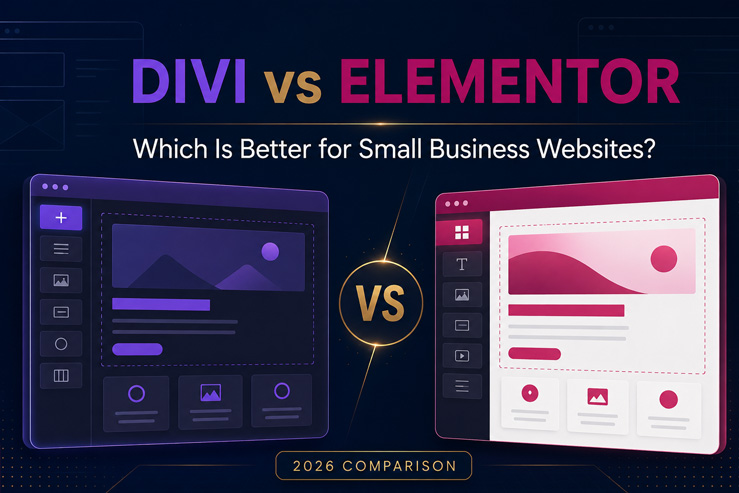
Divi vs Elementor for Small Business Websites: Which Is Better in 2026?
Affiliate disclosure: This article contains an affiliate link. If you purchase Divi through our link, Vidal Digital Miami may earn a commission at no additional cost to you. Our recommendations are based on practical WordPress development experience.
Choosing between Divi and Elementor is one of the most common decisions business owners face when building a WordPress website.
Both platforms offer visual editing, responsive design controls, templates, Theme Builders, WooCommerce capabilities, and tools for creating professional websites without developing every component from scratch.
However, the best option depends on more than which editor looks easier during a demonstration.
A small business website must load quickly, communicate its services clearly, generate leads, work properly on mobile devices, support SEO, and remain manageable after launch.
At Vidal Digital Miami, we have worked with WordPress websites for local businesses, healthcare providers, ABA therapy companies, contractors, service businesses, churches, and WooCommerce stores. Based on that experience, both Divi and Elementor can produce excellent websites—but they serve different workflows particularly well.
Quick Verdict: Divi or Elementor?
Divi is our preferred option for businesses, freelancers, and agencies that want a complete design system, unlimited website usage, reusable templates, and long-term flexibility.
Elementor may be the better choice for someone who wants a free entry point, prefers its interface, or already uses an Elementor-based website and does not have a compelling reason to rebuild it.
Our short recommendation:
- Choose Divi if you want a complete visual design ecosystem, plan to manage multiple websites, or value unlimited website usage.
- Choose Elementor if you want to begin with a free version or already depend on Elementor-specific templates and add-ons.
- Choose professional WordPress development if your priority is generating leads and sales rather than learning how to build the website yourself.
Divi vs Elementor at a Glance
|
Feature |
Divi |
Elementor |
|---|---|---|
|
Visual drag-and-drop editing |
Yes |
Yes |
|
Free version |
No permanent free core version |
Yes |
|
Theme Builder |
Included |
Available with qualifying Pro plans |
|
WooCommerce design tools |
Included |
Advanced tools generally require Pro |
|
Website usage |
Unlimited websites with the standard Divi membership |
Depends on the selected plan |
|
Templates and layouts |
Extensive layout library |
Extensive template library |
|
Popup Builder |
Usually handled through Bloom or another solution |
Included with qualifying Pro plans |
|
Built-in forms |
Divi Contact Form module |
Elementor Pro Form Builder |
|
AI tools |
Divi AI available |
Elementor AI available |
|
Best suited for |
Agencies, freelancers, multiple sites and custom business websites |
Beginners, individual sites and existing Elementor users |
Both products continue to evolve, so features and prices should always be confirmed on their respective official websites before purchasing.
Ease of Use
Divi and Elementor both allow users to build pages visually, but their editing experiences are different.
Elementor uses a sidebar-based interface. You select a widget, drag it into the page and configure its content and design settings from the side panel. Many beginners find this structure familiar and easy to understand.
Divi emphasizes direct visual editing. Sections, rows, columns and modules can be adjusted while viewing the page itself. Divi also provides extensive design controls, global presets and reusable elements that help maintain consistency across an entire website.
For a business owner creating only a few pages, either interface can work.
For a designer managing complete websites, Divi’s reusable design system can make it easier to maintain consistent colors, typography, buttons, spacing and page structures across multiple projects.
Neither builder eliminates the need to understand basic website strategy. A visual editor cannot automatically determine the correct headline, service structure, customer journey or call to action.
Which Builder Is Better for Small Businesses?
Small business websites usually need to accomplish five essential goals:
- Explain what the company offers.
- Establish trust.
- appear in relevant searches.
- Make contacting the business easy.
- Convert visitors into calls, messages, appointments or purchases.
Both builders can create the necessary sections, including:
- Service pages
- Testimonials
- Contact forms
- Maps
- Frequently asked questions
- Pricing sections
- Image galleries
- Team profiles
- Local service-area pages
- Mobile calls to action
Divi has an advantage when the business requires a more customized design or expects the website to grow.
A company may begin with a homepage and three service pages, then later add landing pages, location pages, online booking, WooCommerce products, multilingual content or a resource center.
Divi’s Theme Builder and reusable templates make that expansion easier to manage within one design system.
Elementor is also highly capable, particularly with Elementor Pro. Its Theme Builder can visually customize headers, footers, posts, archives and WooCommerce templates. The decision frequently comes down to workflow, licensing and the existing website environment.
Divi vs Elementor for Website Design
Both platforms provide extensive design controls.
You can customize:
- Typography
- Colors
- Backgrounds
- Borders
- Shadows
- Spacing
- Responsive behavior
- Animations
- Columns
- Buttons
- Forms
- Global styles
Elementor offers a large widget ecosystem and many third-party extensions. This provides flexibility, but some websites become dependent on several separate add-on packages.
Divi includes a broad set of design capabilities within its ecosystem. It can also be extended with products from the Divi Marketplace when specialized features are required.
More options do not automatically produce a better website. One of the most common small business website mistakes is overdesigning pages with unnecessary animation, excessive effects and inconsistent styles.
Professional design should make the business easier to understand—not make the visitor work harder.
Performance and Page Speed
A frequent question is whether Divi or Elementor is faster.
The honest answer is that either builder can produce a slow website when implemented poorly.
Website performance also depends on:
- Hosting quality
- Image sizes
- Caching
- CDN configuration
- Number of plugins
- External tracking scripts
- Fonts
- Database condition
- Custom code
- Page structure
Divi 5 officially launched in 2026 with a rebuilt foundation and a more modern Visual Builder. The update was designed to improve the building experience, code architecture and long-term scalability.
Elementor has also continued investing in performance improvements and more efficient asset loading.
For most small businesses, the difference between a properly optimized Divi site and a properly optimized Elementor site is less important than the quality of the complete implementation.
A well-built website should use compressed images, dependable hosting, limited plugins, sensible animations and an effective caching configuration regardless of the selected builder.
Divi vs Elementor for SEO
Neither Divi nor Elementor automatically improves Google rankings.
SEO depends on a much larger combination of factors:
- Search intent
- Helpful content
- Page titles and headings
- Internal linking
- Website architecture
- Local relevance
- Structured data
- Mobile usability
- Page speed
- Backlinks
- Business authority
Both builders allow developers to create service pages, landing pages, blog articles, FAQ sections and other content needed for a complete SEO strategy.
Divi provides enough structural and visual control to build SEO-friendly websites. Elementor does as well when configured correctly.
The important question is not simply, “Which builder is better for SEO?”
A better question is:
“Which platform can my business use to maintain a fast, organized website with useful content and clear service pages?”
For a more detailed evaluation of Divi’s capabilities, read our complete Divi Review 2026.
Divi vs Elementor for WooCommerce
Both builders can customize WooCommerce websites.
Divi provides WooCommerce modules that can be used to design product pages, category layouts, featured-product sections, shopping interfaces and promotional landing pages.
Elementor Pro includes WooCommerce Builder capabilities for designing product templates, product archives, cart experiences and other store elements.
The visual builder is only one part of WooCommerce success.
An online store also needs:
- Clear product photography
- Accurate pricing
- Mobile-friendly navigation
- Fast search and filtering
- Delivery information
- Trust signals
- Simple checkout
- Payment integration
- Analytics and conversion tracking
Divi is particularly attractive for agencies or business owners who want to create multiple stores or websites under an unlimited-site license.
Elementor can be an excellent option for a single established store already built around its ecosystem.
Pricing and Long-Term Value
Pricing can change, so always verify the current offers before making a purchase.
As of August 2026, Divi’s standard membership is advertised at $89 per year and permits usage on unlimited websites. Elegant Themes also offers expanded packages and a lifetime option.
Elementor offers multiple plans based partly on the number of websites and the professional features required. It also provides a free version for users who want to test the basic editor before purchasing a Pro plan.
For one simple website, Elementor’s free version may appear more economical.
For a freelancer, agency or business managing several websites, Divi’s unlimited-site licensing can provide significantly better long-term value.
[BUTTON: View Current Divi Plans]
Affiliate URL: https://www.elegantthemes.com/affiliates/idevaffiliate.php?id=82327
When Should You Choose Divi?
Divi is a strong choice if you:
- Manage multiple WordPress websites.
- Want extensive visual control.
- Build websites professionally.
- Need reusable templates and global design systems.
- Plan to create WooCommerce stores.
- Want one builder for different industries.
- Prefer an unlimited-site license.
- Expect the website to expand over time.
We particularly like Divi for small businesses, healthcare providers, ABA therapy companies, local service businesses, florists, contractors, consultants and WooCommerce stores.
When Should You Choose Elementor?
Elementor may be a better choice if you:
- Want to begin with a free visual builder.
- Already have an Elementor website that works properly.
- Prefer its sidebar editing interface.
- Depend on Elementor-specific templates or extensions.
- Only need to manage one website.
- Have an existing team trained to use Elementor.
Migrating a functional website solely to change page builders is not always necessary. The business benefit should justify the cost, time and potential disruption.
Should You Build the Website Yourself?
Divi and Elementor make visual website development more accessible, but a page builder is not a complete business strategy.
The builder does not automatically determine:
- Your competitive positioning
- The best services to emphasize
- Your local keyword opportunities
- The correct website structure
- The strongest calls to action
- Your conversion tracking
- Your content strategy
- Your customer objections
Business owners who enjoy learning WordPress may prefer to build the website themselves.
Businesses that need a professional result quickly may benefit from working with an experienced WordPress developer.
Vidal Digital Miami develops strategic WordPress websites for local businesses, healthcare providers, ABA therapy companies, WooCommerce stores and professional service companies.
Learn more about our WordPress development services.
Final Verdict: Divi vs Elementor
Divi and Elementor are both capable WordPress website builders.
Elementor offers an accessible free entry point, a familiar editing interface and a mature ecosystem.
Divi offers a complete visual design platform, unlimited website usage, powerful Theme Builder capabilities, WooCommerce integration and strong value for professionals managing multiple websites.
For most agencies, freelancers and growing businesses, our preference is Divi.
For a single website already built successfully with Elementor, remaining with Elementor may be the most practical decision.
The right platform is ultimately the one that supports your business goals, remains manageable and helps create a fast, trustworthy website that converts visitors into customers.
<
Ready to Build Your Website with Divi?
Get Divi directly from Elegant Themes and start building professional
WordPress websites with a powerful visual design system.
Get Divi from Elegant Themes →
Prefer to Have Your Website Designed Professionally?
Vidal Digital Miami creates strategic WordPress websites designed
around your business, visibility and conversion goals.
Request a Free Website Consultation →
Affiliate disclosure:
Vidal Digital Miami may receive a commission when you purchase Divi
through our referral link. You pay the same official price, and the
commission helps support our WordPress tutorials and educational content.